Remote config and localization
Change copy, flags and rules without shipping a release.
Feature flags, strings in every language, version rules and agreements are published from the backoffice and read by your app at launch. A change reaches users without waiting for store review.
{
  "onboarding_steps": 3,
  "show_annual_plan": true,
  "min_coins_for_video": 20
}Remote config and localization
What your app gets
Remote config and feature flags
The feature flags and settings of your app as one JSON object. Your team changes the values and your app only reads them.
Localization
One string bundle per locale, written and published by your team. Your app reads the published strings, so a copy change does not need a release.
App versions and force update
A check on every launch tells a build whether it must update or should update. Your team sets the version thresholds.
Agreements and consent versions
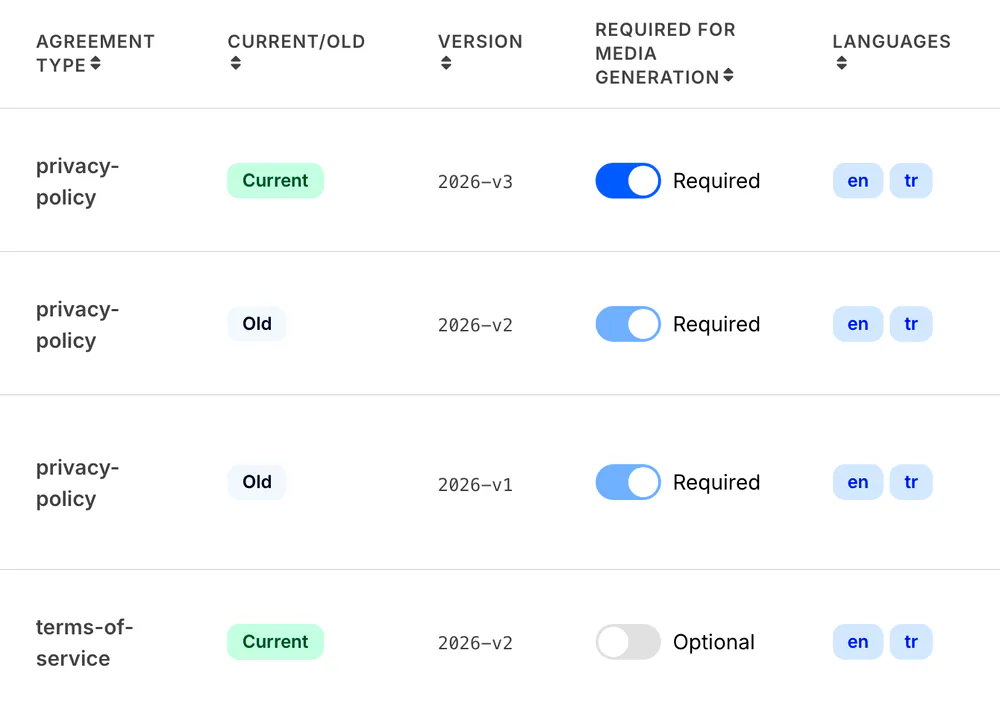
Privacy policy and terms versions, and the decision of each user on them. Publish a new version and your app can list what a user still has to accept.
- In development
Onboarding flow builder
Change onboarding screens without a release. Your team orders the steps, edits the copy per language and tries a new flow on a share of new users.
Runs in your backoffice
Your team edits flags, strings, version thresholds and agreement versions in the backoffice.
FAQ
Questions teams ask
Do config changes need an app release?
No. Your app reads remote config, strings and version rules at launch, so a change in the backoffice reaches users on their next session.
How does a forced update work?
Your team sets the lowest version that may run and the version you recommend. On launch the app learns whether it must or should update, and shows the matching screen.
What happens when we publish new terms?
Publish a new version and your app can list what each user still has to accept. Every decision is kept with its version and the time it was made.
Pricing
One monthly price per app, for the capabilities you switch on. We quote it on a call and send it in writing.
Switch it on for your app
Tell us what your app needs. We set up your partner account and your first app with you, and your team integrates from the portal.